An Apple HomeView alternative that runs on the iPad you already have
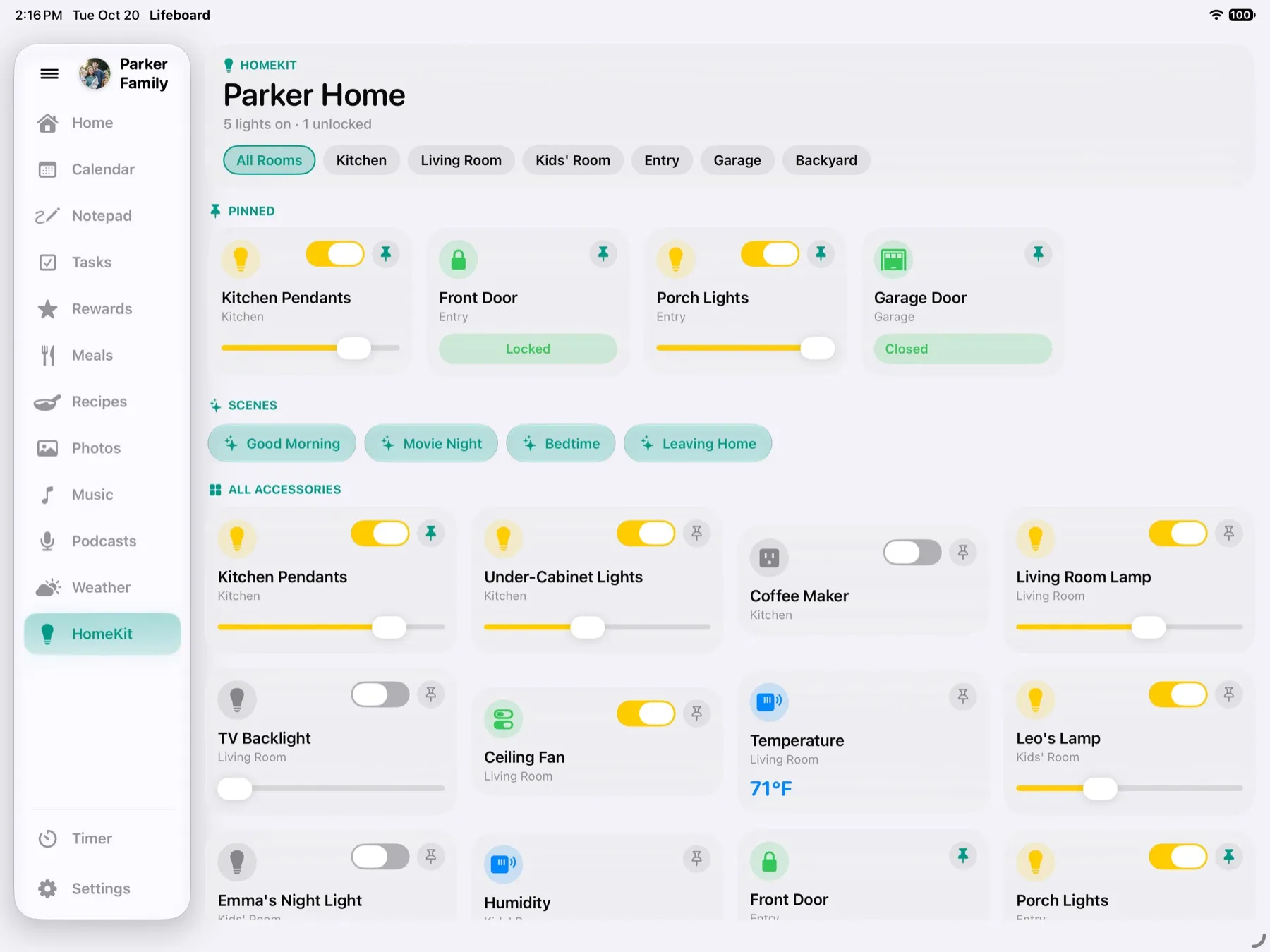
Apple HomeView is a new 7-inch smart display for the kitchen, built around Siri and the people it recognizes. Lifeboard is built around the whole family at once: everyone's calendar, the kids' chores and points, dinner plans and your smart home, on one bigger screen you probably already own, for $29.99 once.
HomeView is a $299, 7-inch square display that ships November 13. Lifeboard is $29.99 once and turns your iPad into a family hub with a shared calendar, a chore chart with rewards, a meal planner and Apple Home controls. Choose HomeView if you want Siri with Apple Intelligence on the counter and a home hub in the same device.
Based on Apple's announcement, last checked October 2026. Check Apple's site for the latest.
Lifeboard and HomeView at a glance
Why families choose Lifeboard
- No subscription. One $29.99 purchase, with a free 14-day trial to try it first. Rewards, meal planning, recipes and the photo frame are all included.
- Nothing new to buy. Most iPads from 2019 on run Lifeboard, so the one in the drawer gets a second life.
- Nothing new to learn. Add events in Calendar and chores in Reminders, on any iPhone, iPad, Mac or Apple Watch, and they show up on the counter.
- Private by design. There's no Lifeboard account and no Lifeboard servers. Your family's information stays in Apple's apps and your iCloud.
- Kid-proof. Guided Access, built into every iPad, keeps it in Lifeboard until a parent enters the passcode.
When HomeView might suit you better
- You want Siri with Apple Intelligence on the counter, and video calls with FaceTime.
- You don't have a home hub yet. HomeView doubles as one, like a HomePod or Apple TV, for automations and control when you're away.
- You don't have an iPad from 2019 or later, and want something small that's made for the counter.
Or use both
Lifeboard and HomeView use the same Calendar, Reminders and Home apps, so they stay in step. Put HomeView where you want Siri and a hub, and the iPad running Lifeboard where the family checks the week, the chores and what's for dinner.
Getting started takes about five minutes
- Install Lifeboard on an iPad running iPadOS 26 or later.
- Tap Allow for Calendar, Reminders, Photos and Home.
- Add your kids and pick their chore lists in Reminders.
- Stand it on the counter and turn on Guided Access.
The Help page walks through each step.
Questions
Is Lifeboard made by Apple?
No. Lifeboard is an independent app and isn't affiliated with Apple.
Can Lifeboard control my smart home?
Yes. Lifeboard shows everything in Apple's Home app: lights and dimmers, locks, garage doors, outlets, sensors, scenes and live cameras.
Do I need a subscription?
No. Lifeboard is $29.99 once, with a free 14-day trial, and there's no Lifeboard account.
Which iPads work?
Any iPad that runs iPadOS 26 or later, including the iPad 8th generation (2020), iPad Air 3rd generation (2019), iPad mini 5th generation (2019) and every iPad Pro from 2018 on. See the full list.
Lifeboard launches this November. Be the first to know.
Get notifiedSee also:Lifeboard vs Skylight · Lifeboard vs Hearth · Lifeboard vs Cozyla · Family calendar for iPad · Chore chart for iPad
Apple, HomeView, iPad and Siri are trademarks of Apple Inc. Lifeboard isn't affiliated with, endorsed by or sponsored by Apple.