A family calendar for the kitchen, on the iPad you already have
Everyone has their own calendar: school on one, work on another, practice times in a group text. Lifeboard brings them together on the family iPad, so the whole week is on one screen in the kitchen, color-coded, and anyone can glance at it on the way out the door.
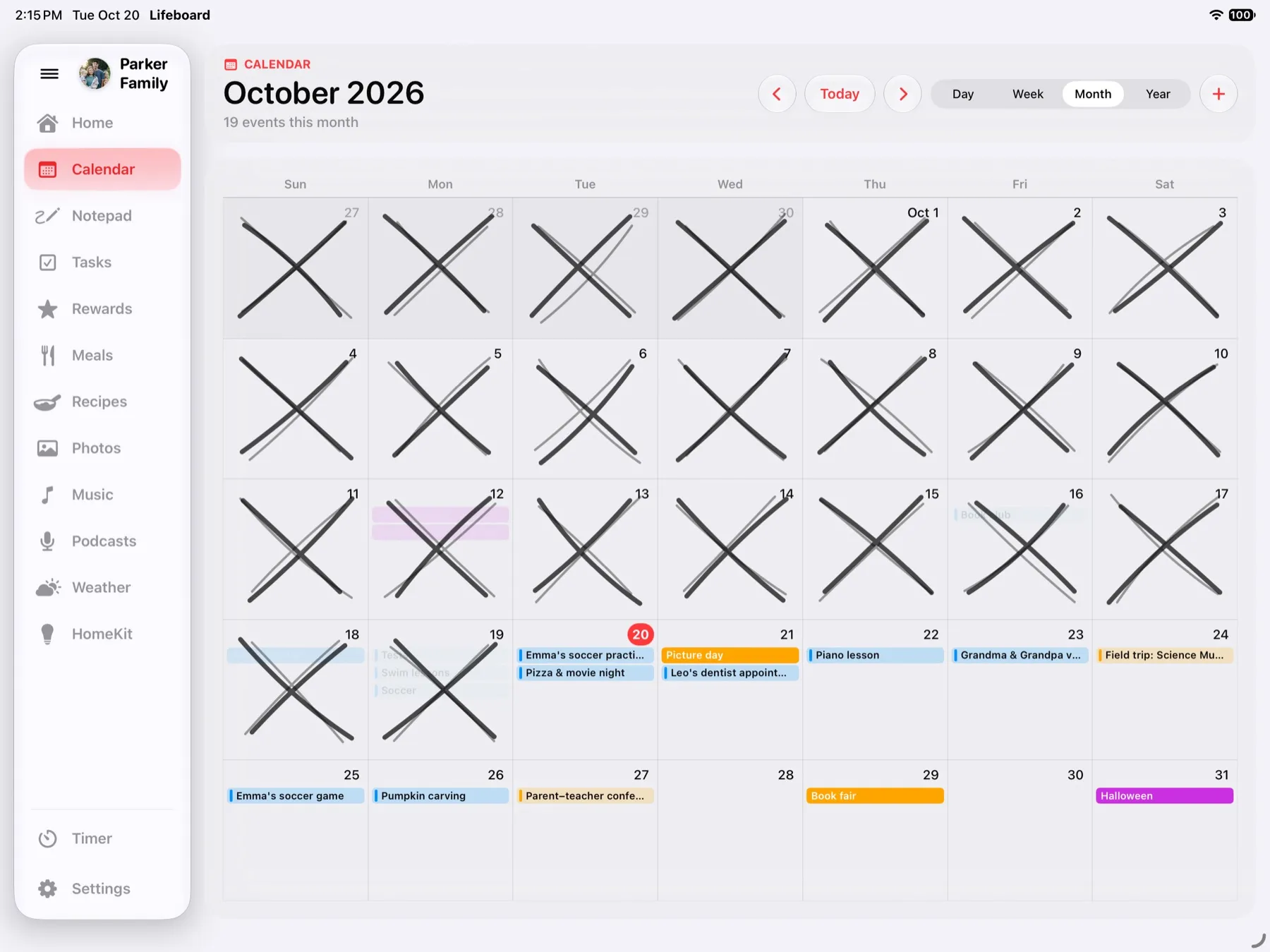
Every calendar, on one screen
- Built on Apple Calendar. Anything in the iPad's Calendar app shows up, including iCloud, Google, Outlook and work calendars.
- Add events from anywhere. Add them on any iPhone, iPad, Mac or Apple Watch, or right on the hub. They appear everywhere within moments.
- Color-coded. Each calendar keeps its color, so give everyone their own and see at a glance who has what. Pick which calendars appear.
- Countdowns to the big days. Birthdays, trips and visits from Grandma count down on Home and in the photo frame.
- Drive times. See when to leave for events with an address.
More than a calendar
The same screen holds a chore chart with rewards, a meal planner that builds the grocery list, a recipe box, the weather, music and an iCloud photo frame when no one's using it. It's all included for $29.99 once, with a free 14-day trial. There's no subscription.
Why an iPad instead of a calendar display
- You probably have one. Most iPads from 2019 on run Lifeboard. Wall calendar displays cost $300 to $700, and many add a yearly plan.
- It works with the apps you use. No new account and no new app for the family to learn. Calendar and Reminders already sync through iCloud.
- It stays private. There's no Lifeboard account and no Lifeboard servers. Your schedule stays in Apple's apps and your iCloud.
- It stays put. Guided Access keeps the iPad on Lifeboard until a parent enters the passcode.
Getting started takes about five minutes
- Install Lifeboard on an iPad running iPadOS 26 or later.
- Tap Allow for Calendar, Reminders, Photos and Home.
- Add your kids and pick their chore lists in Reminders.
- Stand it on the counter and turn on Guided Access.
The Help page walks through each step.
Questions
Can I see Google Calendar on it?
Yes. Add your Google account to the iPad's Calendar app, and those calendars show up in Lifeboard.
Can my partner add events from their phone?
Yes. Share a calendar in iCloud, or use one you already share, and events they add show up on the hub.
Does it work in portrait?
Yes. Lifeboard works sideways or upright, on a counter stand or mounted on the fridge or wall.
Which iPads work?
Any iPad that runs iPadOS 26 or later, including the iPad 8th generation (2020), iPad Air 3rd generation (2019), iPad mini 5th generation (2019) and every iPad Pro from 2018 on. See the full list.
Lifeboard launches this November. Be the first to know.
Get notifiedSee also:Lifeboard vs Skylight · Lifeboard vs Hearth · Lifeboard vs Cozyla · Chore chart for iPad
iPad, iPhone and Apple Calendar are trademarks of Apple Inc. Google Calendar is a trademark of Google LLC.