A chore chart app for iPad, with rewards kids actually want
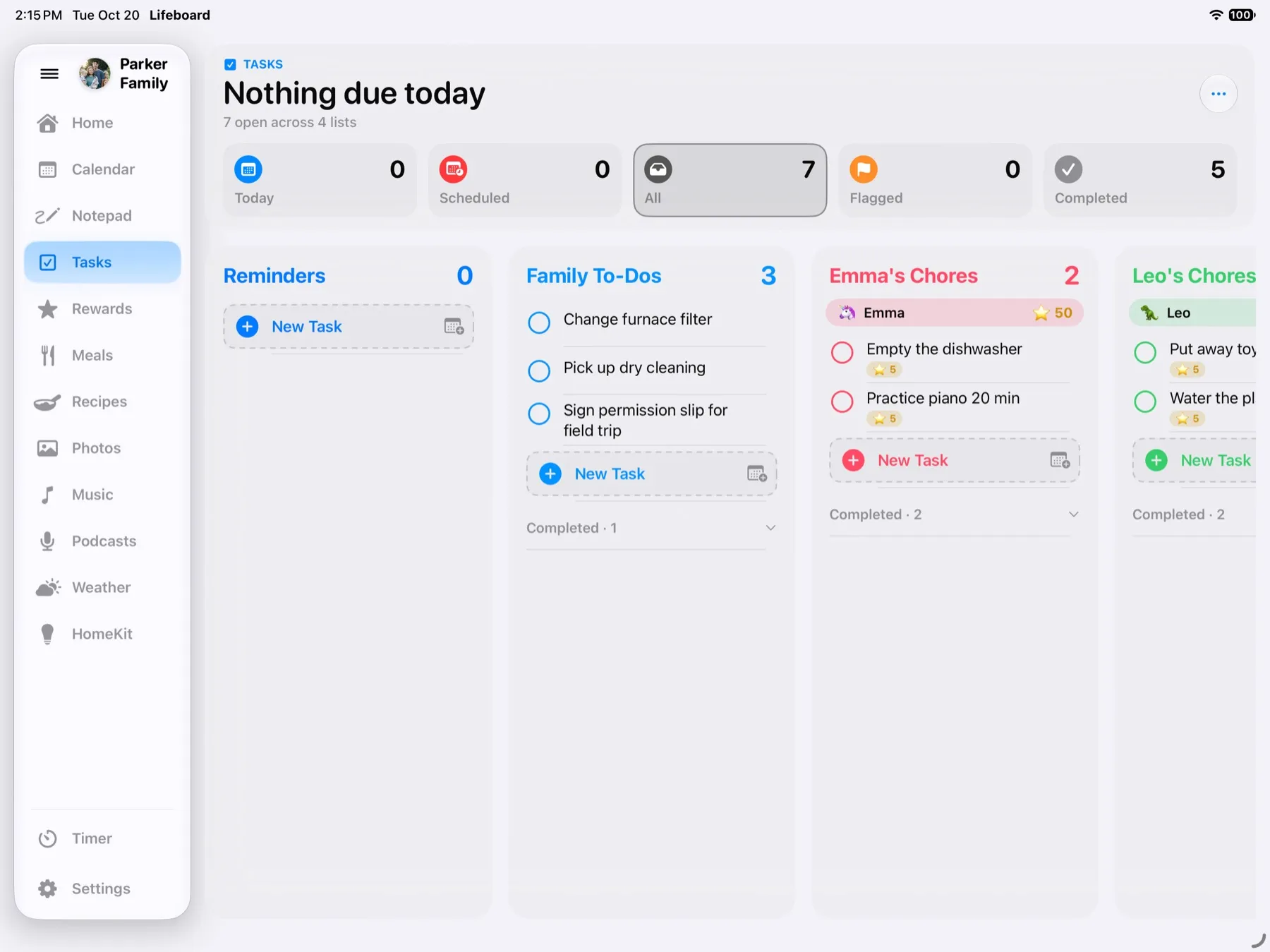
Paper chore charts fall off the fridge, and chore apps on a parent's phone are out of sight for the kids. Lifeboard puts the chore chart on the family iPad, where everyone walks past it every day. Kids tap a chore to check it off, earn points, and save up for rewards you pick together.
How it works
- Each kid gets a list in Apple Reminders. Pick an existing list or create one in Lifeboard. Add a chore from any iPhone, iPad, Mac or Apple Watch, or ask Siri on your phone.
- Kids check chores off on the hub. One tap and the points land in their total. Chores checked off on a phone count too.
- Points buy rewards. Set rewards like "Pick tonight's dinner" or "Ice cream trip" and what each costs. When a kid has enough, tap Redeem for a little celebration.
- Repeating chores come back on their own. Set a chore to repeat in Reminders, daily or weekly, and it reappears when it's due.
Made for families
- Different points for different chores. Make the hard ones worth more. Set a starting value for new chores in Rewards › Manage.
- Bonus points for good deeds. Reward a kind moment that wasn't on the list.
- Kid-proof. Guided Access keeps the iPad in Lifeboard, so the chore chart is all the kids can open.
- Also on your phone. The optional Lifeboard iPhone app shows each kid's points and rewards on the go.
- No subscription. $29.99 once, with a free 14-day trial. The family calendar, meal planner, recipes and photo frame come with it.
What you'll need
- An iPad running iPadOS 26 or later. Most iPads from 2019 on work.
- Apple's Reminders app, which is already on every iPhone and iPad.
- A stand near an outlet, so the iPad can stay plugged in on the counter.
Questions
Do the kids need their own iPhone or iPad?
No. They check off chores on the family iPad. If they do have a device, chores they check off there count too.
Can I use the chore lists we already have in Reminders?
Yes. Pick any list for each kid, or make a new one right in Lifeboard.
Is there a subscription for rewards?
No. Points and rewards are part of the $29.99 one-time purchase.
Which iPads work?
Any iPad that runs iPadOS 26 or later, including the iPad 8th generation (2020), iPad Air 3rd generation (2019), iPad mini 5th generation (2019) and every iPad Pro from 2018 on. See the full list.
Lifeboard launches this November. Be the first to know.
Get notifiedSee also:Lifeboard vs Skylight · Lifeboard vs Hearth · Lifeboard vs Cozyla · Family calendar for iPad
iPad, iPhone and Apple Reminders are trademarks of Apple Inc.